Yep, we may get a tiny thank-you (read: commission) when you buy through
links on Gadgetspotr — not enough for a yacht, but enough to keep the lights (and
servers) on.
Learn more
54
Highlights
85
Differences
5
Reactions
0
Likes
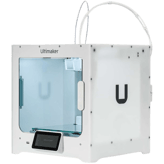
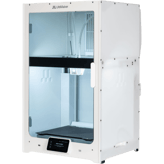
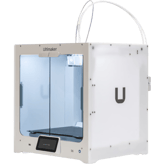
UltiMaker S7
vs
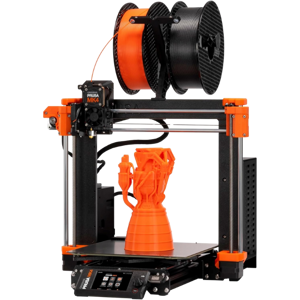
Original Prusa MK4:
54 Highlights & 85 Differences —
So, Which 3D Printer Actually Works Better
Speed test highlights. Fast prints for busy makers.
From vibration sensor, print log storage, depth & weight to user experience, we laid out the pros and quirks of UltiMaker S7 vs Original Prusa MK4 in one sharp 3d printers breakdown.
UltiMaker S7 vs Original Prusa MK4: Which 3D Printer Fits Your Needs?
When diving into professional-grade 3D printing, the UltiMaker S7 and Original Prusa MK4 stand out as flagship contenders in the FDM/FFF printer market. Both devices boast advanced features like filament auto-loading, remote firmware updates, and solid connectivity through mobile apps. Yet, their core differences reveal distinct design philosophies: the UltiMaker S7 aims for high-detail, large-scale professional prints with strict safety and enterprise support, while the Prusa MK4 balances speed, precision, and affordability for a diverse user base from hobbyists to educators. Despite sharing similar printing methods and layered technology, their size, speed, and additional functionalities vary substantially, affecting their fit for different users.
UltiMaker S7: Precision and Enterprise-Grade Sophistication
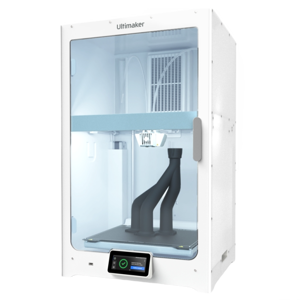
The UltiMaker S7 delivers a build volume of 1199.76 inch³, significantly larger than the Prusa MK4, ideal for bigger prototypes and complex models. Its 20-micron minimum layer resolution enables finer details, letting creators capture subtle nuances in their designs; a critical advantage in fields like medical device manufacturing or custom biocompatible products, which this printer supports thanks to its compatibility with biocompatible materials. Furthermore, the S7's integrated HEPA air filtration and closed enclosure help maintain a safe and clean workspace, especially important when dealing with sensitive or hazardous materials.
Supporting professionals with enterprise-focused SLA & support contracts, usage analytics dashboards, and predictive maintenance alerts, the S7 streamlines productivity while reducing downtime. Its larger and high-resolution 4.7-inch touchscreen, combined with 800x480p resolution, makes for an intuitive interface that aids quicker setup and monitoring. Add to that its extensive certifications and a fireproof build plate, and you get a 3D printer engineered for continuous, high-stakes professional use.
Original Prusa MK4: Speed, Precision, and Value in a Compact Package
While smaller and lighter, the Original Prusa MK4 impresses with a highly efficient print approach. Its build volume of 800.9 inch³ fits well in limited spaces and suits people who want portability without sacrificing quality. The MK4's 150 mm/s effective print speed blows the UltiMaker's pace out of the water, allowing quick production of prototypes and highly detailed parts in much less time; bespoke prints like the famous Benchy can finish in just 19 minutes versus the S7's 110 minutes.
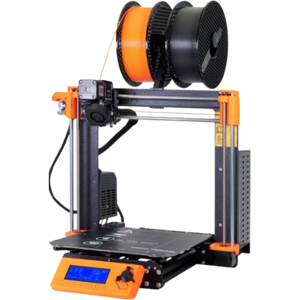
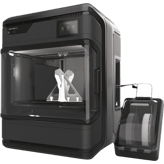
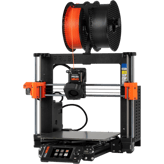
Despite a coarser 50-micron minimum layer resolution, it offers superior print accuracy of 10 microns, ensuring fine dimensional fidelity for complex designs. Though it lacks a closed enclosure or air filtration, its open frame is favored by tinkerers who appreciate easy access and upgrades such as multi-material options, enclosures, or a monitoring camera. The MK4's small but functional 0.96-inch screen keeps operational commands straightforward.
Notably, the Prusa includes a vibration sensor for print stability monitoring and offers a mature community ecosystem providing software and upgrade support. It's a pragmatic choice for consumers, educators, and professionals seeking speed and precise prints without professional-grade enclosure or safety features, all at an attractive price point.
Quick Take
The UltiMaker S7 champions professional workflows with its large print volume, fine resolution, safety-first design, and enterprise capabilities. Meanwhile, the Original Prusa MK4 delivers faster prints and exceptional accuracy in a compact, budget-friendly format, making it a go-to for rapid prototyping and educational uses.
Bottom Line Recommendation
If your priority is superior print detail, safety, and robust professional support with large-volume printing needs, investing in the UltiMaker S7 is a smart move. On the other hand, if you seek impressive speed, excellent accuracy, and the flexibility to upgrade over time, without breaking the bank, the Original Prusa MK4 is a standout value.
Verdict
Winner: UltiMaker S7 - for top-tier print precision, large build volume, enterprise-grade safety, and comprehensive professional features that justify its premium cost.
Runner-up: Original Prusa MK4 - for its fast print speed, remarkable print accuracy, upgrade flexibility, and unbeatable price for hobbyists, educators, and prosumers.
Side by side. The numbers. The features. No drama.
This side-by-side 3d printers review of UltiMaker S7 vs Original Prusa MK4 is packed with useful info — specs, standout features, and real user takes.
0
Original Prusa MK4
0Votes
Consumer, Professional, Educational
vs
Intended Use
UltiMaker S7 is intended for Professional use, while Original Prusa MK4 caters to Consumer, Professional, and Educational segments. The Prusa MK4 is more versatile, suiting broader user groups.
Identifies the main user category.
In the battle of Intended Use,
UltiMaker S7 ◉ is
same as
Original Prusa MK4 ◉
.
Don’t keep it to yourself — be the first to react and review the
Intended Use on UltiMaker S7 ◉
vs Original Prusa MK4 ◉ and help others decide!
The Warranty Period for both UltiMaker S7 and Original Prusa MK4 is 1 Year. This makes them equally reliable in terms of warranty coverage, providing standard assurance for buyers.
Coverage period offered by the manufacturer.
In the battle of Warranty Period,
UltiMaker S7 ◉ is
same as
Original Prusa MK4 ◉
.
Don’t keep it to yourself — be the first to react and review the
Warranty Period on UltiMaker S7 ◉
vs Original Prusa MK4 ◉ and help others decide!
Release Year
What is the release year?
0
UltiMaker S7
0Votes
2023
0
Original Prusa MK4
0Votes
2023
vs
Release Year
Released in 2023, both the UltiMaker S7 and Original Prusa MK4 are recent models, offering up-to-date features and technology for modern 3D printing needs.
The year the 3D printer was first released.
In the battle of Release Year,
UltiMaker S7 ◉ is
same as
Original Prusa MK4 ◉
.
Don’t keep it to yourself — be the first to react and review the
Release Year on UltiMaker S7 ◉
vs Original Prusa MK4 ◉ and help others decide!
Printer Type
What type of printer is it?
0
UltiMaker S7
0Votes
FDM/FFF
0
Original Prusa MK4
0Votes
FDM/FFF
vs
Printer Type
Both UltiMaker S7 and Original Prusa MK4 are FDM/FFF printer types, suitable for fused filament fabrication. Customers looking specifically for this technology can consider either option confidently.
Defines the printing technology used by the machine.
In the battle of Printer Type,
UltiMaker S7 ◉ is
same as
Original Prusa MK4 ◉
.
Don’t keep it to yourself — be the first to react and review the
Printer Type on UltiMaker S7 ◉
vs Original Prusa MK4 ◉ and help others decide!
Assembly Type
What is the assembly type?
0
UltiMaker S7
0Votes
Prebuilt
0
Original Prusa MK4
0Votes
Kit
Original Prusa MK4
The assembly type is Kit, implying that some setup and assembly are required before the printer can be used.
Shows whether the printer is sold as a kit requiring assembly or fully prebuilt.
In the battle of Assembly Type,
UltiMaker S7 ◉ is
same as
Original Prusa MK4 ◉
.
Don’t keep it to yourself — be the first to react and review the
Assembly Type on UltiMaker S7 ◉
vs Original Prusa MK4 ◉ and help others decide!
Upgrade Path
Does it support an upgrade path?
Yes
0Votes
UltiMaker S7
Yes
0Votes
Original Prusa MK4
UltiMaker S7
The UltiMaker S7 is designed with an upgrade path, allowing for future enhancements and expanded capabilities to extend the printer's lifespan and utility.
Whether the printer can be expanded with official or third-party upgrades.
In the battle of Upgrade Path,
UltiMaker S7 ◉ is
same as
Original Prusa MK4 ◉
.
Don’t keep it to yourself — be the first to react and review the
Upgrade Path on UltiMaker S7 ◉
vs Original Prusa MK4 ◉ and help others decide!
Country of Origin
What is the country of origin?
0
UltiMaker S7
0Votes
Netherlands
0
Original Prusa MK4
0Votes
Poland
vs
Country of Origin
UltiMaker S7 is made in the Netherlands, whereas Original Prusa MK4 is produced in Poland. While both origins signify quality European manufacturing, choice may depend on regional preferences or brand heritage.
The country where the product is designed or manufactured.
In the battle of Country of Origin,
UltiMaker S7 ◉ is
same as
Original Prusa MK4 ◉
.
Don’t keep it to yourself — be the first to react and review the
Country of Origin on UltiMaker S7 ◉
vs Original Prusa MK4 ◉ and help others decide!
Product Name
What is the product name?
0
UltiMaker S7
0Votes
UltiMaker S7
0
Original Prusa MK4
0Votes
Original Prusa MK4
The commercial name of the 3D printer.
In the battle of Product Name,
UltiMaker S7 ◉ is
same as
Original Prusa MK4 ◉
.
Don’t keep it to yourself — be the first to react and review the
Product Name on UltiMaker S7 ◉
vs Original Prusa MK4 ◉ and help others decide!
Model Number
What is the model number?
0
UltiMaker S7
0Votes
S7
0
Original Prusa MK4
0Votes
MK4
Manufacturer’s reference code for precise identification.
In the battle of Model Number,
UltiMaker S7 ◉ is
same as
Original Prusa MK4 ◉
.
Don’t keep it to yourself — be the first to react and review the
Model Number on UltiMaker S7 ◉
vs Original Prusa MK4 ◉ and help others decide!
Supported Applications
What applications are supported?
0
UltiMaker S7
0Votes
Prototyping, Engineering, Medical
0
Original Prusa MK4
0Votes
Prototyping, Engineering
Lists the most common applications supported.
In the battle of Supported Applications,
UltiMaker S7 ◉ is
same as
Original Prusa MK4 ◉
.
Don’t keep it to yourself — be the first to react and review the
Supported Applications on UltiMaker S7 ◉
vs Original Prusa MK4 ◉ and help others decide!
Assembly Required
Is assembly required?
No
0Votes
UltiMaker S7
Yes
0Votes
Original Prusa MK4
States if the printer requires assembly.
In the battle of Assembly Required,
UltiMaker S7 ◉ is
better than
Original Prusa MK4 ◉
.
Don’t keep it to yourself — be the first to react and review the
Assembly Required on UltiMaker S7 ◉
vs Original Prusa MK4 ◉ and help others decide!
Weight is 64.2 lbs for UltiMaker S7 compared to a lighter 16.76 lbs for Original Prusa MK4. The lower weight of Prusa MK4 benefits portability and ease of setup.
Net weight of the printer.
In the battle of Weight,
UltiMaker S7 ◉ is
worse than
Original Prusa MK4 ◉
, delivering
higher
47.4 lbs
measurement.
Based on community votes for Weight,
UltiMaker S7 ◉ earned
0 votes,
less than
Original Prusa MK4 ◉,
which got 1 votes.
Space Requirement is 1.8 sq ft for UltiMaker S7 versus 2.5 sq ft for Original Prusa MK4. UltiMaker S7 is slightly more space-efficient, suitable for tighter workstations.
The minimum flat surface area needed to safely place the printer.
In the battle of Space Requirement,
UltiMaker S7 ◉ is
better than
Original Prusa MK4 ◉
, delivering
lower
0.7 sq ft
measurement.
Don’t keep it to yourself — be the first to react and review the
Space Requirement on UltiMaker S7 ◉
vs Original Prusa MK4 ◉ and help others decide!
Build-to-Printer Size Ratio
What is the build-to-printer size ratio?
11
%
0Votes
24.3
%
0Votes
vs
Build-to-Printer Size Ratio
UltiMaker S7 has a Build-to-Printer Size Ratio of 11%, and Original Prusa MK4 offers 24.3%. The higher ratio in Prusa MK4 implies more efficient use of printer size for build volume, favorable for space-conscious users.
The efficiency ratio of build volume relative to the overall printer size.
In the battle of Build-to-Printer Size Ratio,
UltiMaker S7 ◉ is
worse than
Original Prusa MK4 ◉
, delivering
lower
13.3 %
measurement.
Don’t keep it to yourself — be the first to react and review the
Build-to-Printer Size Ratio on UltiMaker S7 ◉
vs Original Prusa MK4 ◉ and help others decide!
Height
What is the printer’s height?
31.5
inch
0Votes
15.16
inch
0Votes
vs
Height
Original Prusa MK4 stands 15.16 inches tall, while UltiMaker S7 is taller at 31.5 inches. The reduced height of the Prusa MK4 may save vertical space for users.
The total external height of the printer.
In the battle of Height,
UltiMaker S7 ◉ is
worse than
Original Prusa MK4 ◉
, delivering
higher
16.3 inch
measurement.
Don’t keep it to yourself — be the first to react and review the
Height on UltiMaker S7 ◉
vs Original Prusa MK4 ◉ and help others decide!
Package Weight
What is the package weight?
94.8
lbs
0Votes
24.2
lbs
0Votes
vs
Package Weight
The Package Weight is 94.8 lbs for UltiMaker S7 and 24.2 lbs for Original Prusa MK4. Prusa MK4 is significantly lighter, making it easier to transport or move within a workspace.
total shipping weight including packaging.
In the battle of Package Weight,
UltiMaker S7 ◉ is
worse than
Original Prusa MK4 ◉
, delivering
higher
70.6 lbs
measurement.
Don’t keep it to yourself — be the first to react and review the
Package Weight on UltiMaker S7 ◉
vs Original Prusa MK4 ◉ and help others decide!
Width
What is the printer’s width?
19.5
inch
0Votes
18.11
inch
0Votes
The total external width of the printer.
In the battle of Width,
UltiMaker S7 ◉ is
worse than
Original Prusa MK4 ◉
, delivering
higher
1.4 inch
measurement.
Don’t keep it to yourself — be the first to react and review the
Width on UltiMaker S7 ◉
vs Original Prusa MK4 ◉ and help others decide!
Folded Width
What is the folded width?
Who knows?
0Votes
UltiMaker S7
(Help us out by suggesting one!)
Who knows?
0Votes
Original Prusa MK4
(Help us out by suggesting one!)
Width of the printer when folded (if applicable).
Don’t keep it to yourself — be the first to react and review the
Folded Width on UltiMaker S7 ◉
vs Original Prusa MK4 ◉ and help others decide!
Folded Depth
What is the folded depth?
Who knows?
0Votes
UltiMaker S7
(Help us out by suggesting one!)
Who knows?
0Votes
Original Prusa MK4
(Help us out by suggesting one!)
Depth of the printer when folded.
Don’t keep it to yourself — be the first to react and review the
Folded Depth on UltiMaker S7 ◉
vs Original Prusa MK4 ◉ and help others decide!
Folded Height
What is the folded height?
Who knows?
0Votes
UltiMaker S7
(Help us out by suggesting one!)
Who knows?
0Votes
Original Prusa MK4
(Help us out by suggesting one!)
Height of the printer when folded.
Don’t keep it to yourself — be the first to react and review the
Folded Height on UltiMaker S7 ◉
vs Original Prusa MK4 ◉ and help others decide!
Package Depth
What is the package depth?
27.56
inch
0Votes
16.5
inch
0Votes
Depth of the printer’s packaging.
In the battle of Package Depth,
UltiMaker S7 ◉ is
worse than
Original Prusa MK4 ◉
, delivering
higher
11.1 inch
measurement.
Don’t keep it to yourself — be the first to react and review the
Package Depth on UltiMaker S7 ◉
vs Original Prusa MK4 ◉ and help others decide!
Package Height
What is the package height?
39.37
inch
0Votes
9.4
inch
0Votes
Height of the printer’s packaging.
In the battle of Package Height,
UltiMaker S7 ◉ is
worse than
Original Prusa MK4 ◉
, delivering
higher
30.0 inch
measurement.
Don’t keep it to yourself — be the first to react and review the
Package Height on UltiMaker S7 ◉
vs Original Prusa MK4 ◉ and help others decide!
Operating Humidity Range is 10-90% for UltiMaker S7 and 10-80% for Original Prusa MK4. UltiMaker S7 accommodates a wider operating humidity range, beneficial in varied climates.
Acceptable humidity range during printer operation.
In the battle of Operating Humidity Range,
UltiMaker S7 ◉ is
same as
Original Prusa MK4 ◉
.
Don’t keep it to yourself — be the first to react and review the
Operating Humidity Range on UltiMaker S7 ◉
vs Original Prusa MK4 ◉ and help others decide!
Storage Humidity Range is 10-90% for UltiMaker S7 and broader 0-90% for Original Prusa MK4. Prusa MK4 tolerates slightly more humid storage conditions, better for diverse environments.
Safe humidity range for storing the printer.
In the battle of Storage Humidity Range,
UltiMaker S7 ◉ is
same as
Original Prusa MK4 ◉
.
Don’t keep it to yourself — be the first to react and review the
Storage Humidity Range on UltiMaker S7 ◉
vs Original Prusa MK4 ◉ and help others decide!
Both printers support a Power Supply Voltage range of 100-240 Volts, allowing flexible operation worldwide without voltage compatibility issues.
Voltage input supported by the printer’s power supply.
In the battle of Power Supply Voltage,
UltiMaker S7 ◉ is
same as
Original Prusa MK4 ◉
.
Don’t keep it to yourself — be the first to react and review the
Power Supply Voltage on UltiMaker S7 ◉
vs Original Prusa MK4 ◉ and help others decide!
Power Consumption is 500 Watts for UltiMaker S7 and 240 Watts for Original Prusa MK4. The Prusa MK4 uses less than half the power, making it more energy-efficient and cost-effective for extended use.
Average power usage during active printing.
In the battle of Power Consumption,
UltiMaker S7 ◉ is
worse than
Original Prusa MK4 ◉
, delivering
higher
260.0 Watt
measurement.
Don’t keep it to yourself — be the first to react and review the
Power Consumption on UltiMaker S7 ◉
vs Original Prusa MK4 ◉ and help others decide!
Operating Temperature Range
What is the operating temperature range?
0
UltiMaker S7
0Votes
59-86°F
0
Original Prusa MK4
0Votes
64.4-89.6°F
UltiMaker S7
The recommended operating temperature range for the printer is between 59-86°F (15-30°C) to ensure optimal performance and material consistency.
Recommended ambient temperature range for safe operation.
In the battle of Operating Temperature Range,
UltiMaker S7 ◉ is
same as
Original Prusa MK4 ◉
.
Don’t keep it to yourself — be the first to react and review the
Operating Temperature Range on UltiMaker S7 ◉
vs Original Prusa MK4 ◉ and help others decide!
Storage Temperature Range
What is the storage temperature range?
0
UltiMaker S7
0Votes
32-89.6°F
0
Original Prusa MK4
0Votes
32-95°F
Safe temperature range for storing the printer when not in use.
In the battle of Storage Temperature Range,
UltiMaker S7 ◉ is
same as
Original Prusa MK4 ◉
.
Don’t keep it to yourself — be the first to react and review the
Storage Temperature Range on UltiMaker S7 ◉
vs Original Prusa MK4 ◉ and help others decide!
Power Supply Type
What type of power supply does it use?
0
UltiMaker S7
0Votes
Internal
0
Original Prusa MK4
0Votes
Internal
vs
Power Supply Type
UltiMaker S7 and Original Prusa MK4 both feature Internal power supply types, simplifying setup and maintaining a clean footprint on the workspace.
Indicates whether the printer uses an internal or external power supply.
In the battle of Power Supply Type,
UltiMaker S7 ◉ is
same as
Original Prusa MK4 ◉
.
Don’t keep it to yourself — be the first to react and review the
Power Supply Type on UltiMaker S7 ◉
vs Original Prusa MK4 ◉ and help others decide!
Idle Power Consumption
What is the idle power consumption?
150
Watt
0Votes
15
Watt
0Votes
Power drawn while the printer is on but not printing.
In the battle of Idle Power Consumption,
UltiMaker S7 ◉ is
worse than
Original Prusa MK4 ◉
, delivering
higher
135.0 Watt
measurement.
Don’t keep it to yourself — be the first to react and review the
Idle Power Consumption on UltiMaker S7 ◉
vs Original Prusa MK4 ◉ and help others decide!
The Minimum Layer Resolution is 20 microns on UltiMaker S7 compared to 50 microns on Original Prusa MK4. UltiMaker S7 offers finer print resolution for detailed work.
Finest layer height achievable.
In the battle of Layer Resolution Minimum,
UltiMaker S7 ◉ is
better than
Original Prusa MK4 ◉
, delivering
lower
30.0 microns
measurement.
Based on community votes for Layer Resolution Minimum,
UltiMaker S7 ◉ earned
1 votes,
more than
Original Prusa MK4 ◉,
which got 0 votes.
Build Depth is 9.4 inches in UltiMaker S7 against 8.27 inches in Original Prusa MK4, giving a deeper build space for S7 which is advantageous for larger depth projects.
Maximum printable depth of the build area.
In the battle of Build Depth,
UltiMaker S7 ◉ is
better than
Original Prusa MK4 ◉
, delivering
higher
1.1 inch
measurement.
Don’t keep it to yourself — be the first to react and review the
Build Depth on UltiMaker S7 ◉
vs Original Prusa MK4 ◉ and help others decide!
Standard Nozzle Diameter
What is the standard nozzle diameter?
0.4
mm
0Votes
0.4
mm
0Votes
UltiMaker S7
The standard nozzle diameter of 0.4 mm is a versatile size, offering a good balance between print speed and detail for most FDM applications.
Default nozzle diameter provided.
In the battle of Standard Nozzle Diameter,
UltiMaker S7 ◉ is
same as
Original Prusa MK4 ◉
, delivering
equal
0.40 mm
measurement.
Don’t keep it to yourself — be the first to react and review the
Standard Nozzle Diameter on UltiMaker S7 ◉
vs Original Prusa MK4 ◉ and help others decide!
Max Extruder Temperature
What is the max extruder temperature?
536
°F
0Votes
572
°F
0Votes
Original Prusa MK4
The maximum extruder temperature is rated at 572 °F, which is approximately 300 °C, suitable for a wide range of high-performance filaments.
Maximum heating capability of extruder.
In the battle of Max Extruder Temperature,
UltiMaker S7 ◉ is
worse than
Original Prusa MK4 ◉
, delivering
lower
36.0 °F
measurement.
Don’t keep it to yourself — be the first to react and review the
Max Extruder Temperature on UltiMaker S7 ◉
vs Original Prusa MK4 ◉ and help others decide!
Bed Temperature Gradient
What is the bed temperature gradient?
5
°F
0Votes
3.6
°F
0Votes
Original Prusa MK4
The bed temperature gradient is 3.6 °F, equal to approximately 2.0 °C, representing minimal temperature variation across the bed for consistent adhesion.
Variance in heat across the bed surface.
In the battle of Bed Temperature Gradient,
UltiMaker S7 ◉ is
worse than
Original Prusa MK4 ◉
, delivering
higher
1.4 °F
measurement.
Don’t keep it to yourself — be the first to react and review the
Bed Temperature Gradient on UltiMaker S7 ◉
vs Original Prusa MK4 ◉ and help others decide!
Number of Extruders
How many extruders does the printer have?
0
UltiMaker S7
0Votes
2
0
Original Prusa MK4
0Votes
1
Original Prusa MK4
The printer has a single extruder, limiting it to single-material or single-color prints per job.
total extruders installed.
In the battle of Number of Extruders,
UltiMaker S7 ◉ is
same as
Original Prusa MK4 ◉
.
Don’t keep it to yourself — be the first to react and review the
Number of Extruders on UltiMaker S7 ◉
vs Original Prusa MK4 ◉ and help others decide!
Extruder Drive Type
What type of extruder drive does it use?
0
UltiMaker S7
0Votes
Bowden
0
Original Prusa MK4
0Votes
Direct Drive
Original Prusa MK4
The extruder drive type is Direct Drive, which is preferred for reliable extrusion of flexible and exotic filaments.
The type of filament feeding system.
In the battle of Extruder Drive Type,
UltiMaker S7 ◉ is
same as
Original Prusa MK4 ◉
.
Don’t keep it to yourself — be the first to react and review the
Extruder Drive Type on UltiMaker S7 ◉
vs Original Prusa MK4 ◉ and help others decide!
Build Width
What is the build width?
13
inch
0Votes
9.84
inch
0Votes
vs
Build Width
Build Width measures 13 inches for UltiMaker S7 and 9.84 inches for Original Prusa MK4. UltiMaker offers notably wider build capacity, enhancing suitability for wider prints.
Maximum printable width of the build area.
In the battle of Build Width,
UltiMaker S7 ◉ is
better than
Original Prusa MK4 ◉
, delivering
higher
3.2 inch
measurement.
Don’t keep it to yourself — be the first to react and review the
Build Width on UltiMaker S7 ◉
vs Original Prusa MK4 ◉ and help others decide!
Build Height
What is the build height?
11.8
inch
0Votes
8.66
inch
0Votes
Maximum printable height of the build area.
In the battle of Build Height,
UltiMaker S7 ◉ is
better than
Original Prusa MK4 ◉
, delivering
higher
3.1 inch
measurement.
Don’t keep it to yourself — be the first to react and review the
Build Height on UltiMaker S7 ◉
vs Original Prusa MK4 ◉ and help others decide!
Build Volume
What is the build volume?
1,199.76
cubic in
0Votes
800.9
cubic in
0Votes
vs
Build Volume
UltiMaker S7 provides a Build Volume of 1199.76 cubic inches, which is larger than Prusa MK4's 800.9 cubic inches. This spacious volume benefits users needing to print bigger objects.
total printable volume capacity.
In the battle of Build Volume,
UltiMaker S7 ◉ is
better than
Original Prusa MK4 ◉
, delivering
higher
398.9 cubic in
measurement.
Don’t keep it to yourself — be the first to react and review the
Build Volume on UltiMaker S7 ◉
vs Original Prusa MK4 ◉ and help others decide!
Layer Resolution Maximum
What is the maximum layer resolution?
200
microns
0Votes
300
microns
0Votes
vs
Layer Resolution Maximum
Maximum Layer Resolution is 200 microns on UltiMaker S7, versus 300 microns on Original Prusa MK4. UltiMaker supports finer maximum layers, potentially yielding better surface finishes.
Thickest layer height achievable.
In the battle of Layer Resolution Maximum,
UltiMaker S7 ◉ is
worse than
Original Prusa MK4 ◉
, delivering
lower
100.0 microns
measurement.
Don’t keep it to yourself — be the first to react and review the
Layer Resolution Maximum on UltiMaker S7 ◉
vs Original Prusa MK4 ◉ and help others decide!
Optional Nozzle Sizes
What optional nozzle sizes are supported?
0
UltiMaker S7
0Votes
0.25mm, 0.6mm, 0.8mm
0
Original Prusa MK4
0Votes
0.25mm, 0.4mm, 0.6mm, 0.8mm
Alternative nozzle sizes supported.
In the battle of Optional Nozzle Sizes,
UltiMaker S7 ◉ is
same as
Original Prusa MK4 ◉
.
Don’t keep it to yourself — be the first to react and review the
Optional Nozzle Sizes on UltiMaker S7 ◉
vs Original Prusa MK4 ◉ and help others decide!
Filament Diameter Supported
What filament diameter is supported?
2.85
mm
0Votes
1.75
mm
0Votes
The filament size compatible with printer.
In the battle of Filament Diameter Supported,
UltiMaker S7 ◉ is
better than
Original Prusa MK4 ◉
, delivering
higher
1.1 mm
measurement.
Don’t keep it to yourself — be the first to react and review the
Filament Diameter Supported on UltiMaker S7 ◉
vs Original Prusa MK4 ◉ and help others decide!
Min Extruder Temperature
What is the min extruder temperature?
356
°F
0Votes
32
°F
0Votes
Lowest operable extruder temperature.
In the battle of Min Extruder Temperature,
UltiMaker S7 ◉ is
worse than
Original Prusa MK4 ◉
, delivering
higher
324.0 °F
measurement.
Don’t keep it to yourself — be the first to react and review the
Min Extruder Temperature on UltiMaker S7 ◉
vs Original Prusa MK4 ◉ and help others decide!
Max Bed Temperature
What is the max bed temperature?
257
°F
0Votes
248
°F
0Votes
Maximum heated bed temperature.
In the battle of Max Bed Temperature,
UltiMaker S7 ◉ is
better than
Original Prusa MK4 ◉
, delivering
higher
9.0 °F
measurement.
Don’t keep it to yourself — be the first to react and review the
Max Bed Temperature on UltiMaker S7 ◉
vs Original Prusa MK4 ◉ and help others decide!
Heated Chamber
Does the printer have a heated chamber?
Yes
0Votes
UltiMaker S7
No
0Votes
Original Prusa MK4
Whether the printer has a heated build chamber.
In the battle of Heated Chamber,
UltiMaker S7 ◉ is
better than
Original Prusa MK4 ◉
.
Don’t keep it to yourself — be the first to react and review the
Heated Chamber on UltiMaker S7 ◉
vs Original Prusa MK4 ◉ and help others decide!
Chamber Temperature Control Range
What is the chamber temperature control range?
0
UltiMaker S7
0Votes
Up to 140°F
Who knows?
0Votes
Original Prusa MK4
(Help us out by suggesting one!)
Range of temperatures the printer chamber can maintain
Don’t keep it to yourself — be the first to react and review the
Chamber Temperature Control Range on UltiMaker S7 ◉
vs Original Prusa MK4 ◉ and help others decide!
Dual Extruders
Does it support dual extruders?
Yes
0Votes
UltiMaker S7
No
0Votes
Original Prusa MK4
Indicates if printer can run dual extruders.
In the battle of Dual Extruders,
UltiMaker S7 ◉ is
better than
Original Prusa MK4 ◉
.
Don’t keep it to yourself — be the first to react and review the
Dual Extruders on UltiMaker S7 ◉
vs Original Prusa MK4 ◉ and help others decide!
Independent Dual Extruder
Does it have IDEX support?
No
0Votes
UltiMaker S7
No
0Votes
Original Prusa MK4
Whether the printer supports independent extruder heads.
In the battle of Independent Dual Extruder,
UltiMaker S7 ◉ is
same as
Original Prusa MK4 ◉
.
Don’t keep it to yourself — be the first to react and review the
Independent Dual Extruder on UltiMaker S7 ◉
vs Original Prusa MK4 ◉ and help others decide!
Quick-Swap Nozzles
Does it have quick-swap nozzles?
Yes
0Votes
UltiMaker S7
Yes
0Votes
Original Prusa MK4
Nozzles can be quickly swapped without tools.
In the battle of Quick-Swap Nozzles,
UltiMaker S7 ◉ is
same as
Original Prusa MK4 ◉
.
Don’t keep it to yourself — be the first to react and review the
Quick-Swap Nozzles on UltiMaker S7 ◉
vs Original Prusa MK4 ◉ and help others decide!
Hotend Replaceable
Is the hotend replaceable?
Yes
0Votes
UltiMaker S7
Yes
0Votes
Original Prusa MK4
Whether the hotend can be replaced.
In the battle of Hotend Replaceable,
UltiMaker S7 ◉ is
same as
Original Prusa MK4 ◉
.
Don’t keep it to yourself — be the first to react and review the
Hotend Replaceable on UltiMaker S7 ◉
vs Original Prusa MK4 ◉ and help others decide!
Who knows?
0Votes
UltiMaker S7
(Help us out by suggesting one!)
Who knows?
0Votes
Original Prusa MK4
(Help us out by suggesting one!)
Light wavelength compatibility for curing resins.
Don’t keep it to yourself — be the first to react and review the
Compatible Resin Wavelength on UltiMaker S7 ◉
vs Original Prusa MK4 ◉ and help others decide!
Who knows?
0Votes
UltiMaker S7
(Help us out by suggesting one!)
Who knows?
0Votes
Original Prusa MK4
(Help us out by suggesting one!)
Maximum amount of resin the tank can hold.
Don’t keep it to yourself — be the first to react and review the
Max Resin Tank Capacity on UltiMaker S7 ◉
vs Original Prusa MK4 ◉ and help others decide!
Resin Auto-Fill is unavailable (No) on both UltiMaker S7 and Original Prusa MK4, indicating similar resin handling approaches without automatic refill features.
Automatic filling of resin during prints.
In the battle of Resin Auto-Fill,
UltiMaker S7 ◉ is
same as
Original Prusa MK4 ◉
.
Don’t keep it to yourself — be the first to react and review the
Resin Auto-Fill on UltiMaker S7 ◉
vs Original Prusa MK4 ◉ and help others decide!
Max Supported Filament Diameter
What is the maximum supported filament diameter?
2.85
mm
0Votes
1.75
mm
0Votes
Original Prusa MK4
The maximum supported filament diameter is 1.75 mm, which is the industry standard for most desktop 3D printers, ensuring wide filament availability.
Maximum filament diameter that can be used.
In the battle of Max Supported Filament Diameter,
UltiMaker S7 ◉ is
better than
Original Prusa MK4 ◉
, delivering
higher
1.1 mm
measurement.
Don’t keep it to yourself — be the first to react and review the
Max Supported Filament Diameter on UltiMaker S7 ◉
vs Original Prusa MK4 ◉ and help others decide!
Filament Drying Required
Is filament drying required?
Yes
0Votes
UltiMaker S7
Yes
0Votes
Original Prusa MK4
UltiMaker S7
Filament drying is often required, particularly for hygroscopic materials, to ensure optimal print quality and prevent issues like stringing or poor layer adhesion.
Whether drying filament before use is necessary.
In the battle of Filament Drying Required,
UltiMaker S7 ◉ is
same as
Original Prusa MK4 ◉
.
Don’t keep it to yourself — be the first to react and review the
Filament Drying Required on UltiMaker S7 ◉
vs Original Prusa MK4 ◉ and help others decide!
Third-Party Material
Does it support third-party materials?
Yes
0Votes
UltiMaker S7
Yes
0Votes
Original Prusa MK4
UltiMaker S7
The printer supports third-party materials, offering users a wider selection of filaments beyond proprietary options, potentially reducing costs and increasing material versatility.
Ability to use non-proprietary materials.
In the battle of Third-Party Material,
UltiMaker S7 ◉ is
same as
Original Prusa MK4 ◉
.
Don’t keep it to yourself — be the first to react and review the
Third-Party Material on UltiMaker S7 ◉
vs Original Prusa MK4 ◉ and help others decide!
Supported Resin Types
What resin types are supported?
0
UltiMaker S7
0Votes
None
0
Original Prusa MK4
0Votes
None
Original Prusa MK4
No supported resin types are listed, consistent with this being an FDM/FFF printer rather than a resin-based model.
Resin types that the printer can use.
In the battle of Supported Resin Types,
UltiMaker S7 ◉ is
same as
Original Prusa MK4 ◉
.
Don’t keep it to yourself — be the first to react and review the
Supported Resin Types on UltiMaker S7 ◉
vs Original Prusa MK4 ◉ and help others decide!
Biocompatible Materials Support
Does it support biocompatible materials?
Yes
0Votes
UltiMaker S7
No
0Votes
Original Prusa MK4
vs
Biocompatible Materials Support
Biocompatible Materials Support is present on UltiMaker S7 but not supported by Original Prusa MK4. UltiMaker is preferable for medical or biocompatible material projects.
Supports resins/filaments approved for medical or dental use.
In the battle of Biocompatible Materials Support,
UltiMaker S7 ◉ is
better than
Original Prusa MK4 ◉
.
Don’t keep it to yourself — be the first to react and review the
Biocompatible Materials Support on UltiMaker S7 ◉
vs Original Prusa MK4 ◉ and help others decide!
In the battle of Supported Filament Types,
UltiMaker S7 ◉ is
same as
Original Prusa MK4 ◉
.
Don’t keep it to yourself — be the first to react and review the
Supported Filament Types on UltiMaker S7 ◉
vs Original Prusa MK4 ◉ and help others decide!
Filament Dry Box
Does it support filament dry boxes?
Yes
0Votes
UltiMaker S7
No
0Votes
Original Prusa MK4
Supports use of a dry box to prevent filament moisture issues.
In the battle of Filament Dry Box,
UltiMaker S7 ◉ is
better than
Original Prusa MK4 ◉
.
Don’t keep it to yourself — be the first to react and review the
Filament Dry Box on UltiMaker S7 ◉
vs Original Prusa MK4 ◉ and help others decide!
Filament Auto-Loading
Does it have filament auto-loading?
Yes
0Votes
UltiMaker S7
Yes
0Votes
Original Prusa MK4
vs
Filament Auto-Loading
Filament Auto-Loading is supported by both UltiMaker S7 and Original Prusa MK4, easing filament handling and improving user convenience during printing tasks.
Automatic feeding of filament into extruder.
In the battle of Filament Auto-Loading,
UltiMaker S7 ◉ is
same as
Original Prusa MK4 ◉
.
Don’t keep it to yourself — be the first to react and review the
Filament Auto-Loading on UltiMaker S7 ◉
vs Original Prusa MK4 ◉ and help others decide!
Multi-Material Printing
Can it print with multiple materials?
Yes
0Votes
UltiMaker S7
Yes
0Votes
Original Prusa MK4
Ability to print with multiple materials simultaneously.
In the battle of Multi-Material Printing,
UltiMaker S7 ◉ is
same as
Original Prusa MK4 ◉
.
Don’t keep it to yourself — be the first to react and review the
Multi-Material Printing on UltiMaker S7 ◉
vs Original Prusa MK4 ◉ and help others decide!
Max Number of Materials Supported
What is the maximum number of materials supported?
0
UltiMaker S7
0Votes
2
0
Original Prusa MK4
0Votes
5
Maximum distinct materials supported in one job.
In the battle of Max Number of Materials Supported,
UltiMaker S7 ◉ is
same as
Original Prusa MK4 ◉
.
Don’t keep it to yourself — be the first to react and review the
Max Number of Materials Supported on UltiMaker S7 ◉
vs Original Prusa MK4 ◉ and help others decide!
Print Speed & Performance
15
Measured Effective Print Speed
What is the effective measured print speed?
20
mm/s
0Votes
150
mm/s
1Votes
vs
Measured Effective Print Speed
UltiMaker S7's Measured Effective Print Speed is 20 mm/s, significantly slower than Original Prusa MK4's 150 mm/s. The Prusa MK4 is better suited for fast printing needs.
Independently measured real-world print speed.
In the battle of Measured Effective Print Speed,
UltiMaker S7 ◉ is
worse than
Original Prusa MK4 ◉
, delivering
lower
130.0 mm/s
measurement.
Based on community votes for Measured Effective Print Speed,
UltiMaker S7 ◉ earned
0 votes,
less than
Original Prusa MK4 ◉,
which got 1 votes.
Prusa seems to kill it with the effective print speed, it's way faster than the UltiMaker S7, which could save a ton of time.
See more
Idle Noise Level
What is the idle noise level?
50
dB
0Votes
30
dB
1Votes
vs
Idle Noise Level
Idle Noise Level is 50 dB for UltiMaker S7 compared to a quieter 30 dB for Original Prusa MK4. Prusa MK4 is more suitable for noise-sensitive environments.
Measures the noise when printer is on but not printing; lower is better.
In the battle of Idle Noise Level,
UltiMaker S7 ◉ is
worse than
Original Prusa MK4 ◉
, delivering
higher
20.0 dB
measurement.
Based on community votes for Idle Noise Level,
UltiMaker S7 ◉ earned
0 votes,
less than
Original Prusa MK4 ◉,
which got 1 votes.
Noise level is underrated but important and the Prusa is quieter which can make the printing experience more pleasant over time.
See more
Print Accuracy
What is the print accuracy?
20
microns
0Votes
10
microns
0Votes
vs
Print Accuracy
Print Accuracy is 20 microns for UltiMaker S7 and finer at 10 microns for Original Prusa MK4. Prusa MK4 provides higher detail precision, ideal for intricate models.
Degree of dimensional accuracy of printed parts.
In the battle of Print Accuracy,
UltiMaker S7 ◉ is
better than
Original Prusa MK4 ◉
, delivering
higher
10.0 microns
measurement.
Don’t keep it to yourself — be the first to react and review the
Print Accuracy on UltiMaker S7 ◉
vs Original Prusa MK4 ◉ and help others decide!
Continuous Print Time
What is the max continuous print time?
168
hours
0Votes
100
hours
0Votes
Original Prusa MK4
Continuous print time can reach up to 100 hours, enabling long-duration prints without interruption.
Maximum supported printing time without interruption.
In the battle of Continuous Print Time,
UltiMaker S7 ◉ is
better than
Original Prusa MK4 ◉
, delivering
higher
68.0 hours
measurement.
Don’t keep it to yourself — be the first to react and review the
Continuous Print Time on UltiMaker S7 ◉
vs Original Prusa MK4 ◉ and help others decide!
Print Quality Rating
What is the print quality rating?
0
UltiMaker S7
0Votes
9
0
Original Prusa MK4
0Votes
9
Original Prusa MK4
Print Quality Rating of 9 indicates near-top-tier print precision and finish quality for professional use.
Rated score for overall print quality (0–10).
In the battle of Print Quality Rating,
UltiMaker S7 ◉ is
same as
Original Prusa MK4 ◉
.
Don’t keep it to yourself — be the first to react and review the
Print Quality Rating on UltiMaker S7 ◉
vs Original Prusa MK4 ◉ and help others decide!
Time to Print Benchy
How long does it take to print a Benchy?
110
minutes
0Votes
19
minutes
1Votes
vs
Time to Print Benchy
Time to Print Benchy is 110 minutes on UltiMaker S7 but only 19 minutes on Original Prusa MK4. The Prusa MK4 offers significantly faster small model printing.
Average time to complete the benchmark “Benchy” model.
In the battle of Time to Print Benchy,
UltiMaker S7 ◉ is
worse than
Original Prusa MK4 ◉
, delivering
higher
91.0 minutes
measurement.
Based on community votes for Time to Print Benchy,
UltiMaker S7 ◉ earned
0 votes,
less than
Original Prusa MK4 ◉,
which got 1 votes.
If you're counting minutes the Prusa MK4 really shines with a much quicker benchy print time than the UltiMaker, that's a game changer.
See more
Official Max Print Speed
What is the official max print speed?
24
mm/s
0Votes
200
mm/s
0Votes
vs
Official Max Print Speed
Official Max Print Speed is 24 mm/s for UltiMaker S7 versus 200 mm/s for Original Prusa MK4, further confirming Prusa's advantage in printing speed performance.
Manufacturer-claimed maximum print speed.
In the battle of Official Max Print Speed,
UltiMaker S7 ◉ is
worse than
Original Prusa MK4 ◉
, delivering
lower
176.0 mm/s
measurement.
Don’t keep it to yourself — be the first to react and review the
Official Max Print Speed on UltiMaker S7 ◉
vs Original Prusa MK4 ◉ and help others decide!
First Layer Calibration
How is the first layer calibrated?
0
UltiMaker S7
0Votes
Auto
0
Original Prusa MK4
0Votes
Auto
Method used for first-layer bed calibration.
In the battle of First Layer Calibration,
UltiMaker S7 ◉ is
same as
Original Prusa MK4 ◉
.
Don’t keep it to yourself — be the first to react and review the
First Layer Calibration on UltiMaker S7 ◉
vs Original Prusa MK4 ◉ and help others decide!
Print Adhesion Type
What type of print adhesion is used?
0
UltiMaker S7
0Votes
PEI
0
Original Prusa MK4
0Votes
PEI
Method used to secure prints to the bed.
In the battle of Print Adhesion Type,
UltiMaker S7 ◉ is
same as
Original Prusa MK4 ◉
.
Don’t keep it to yourself — be the first to react and review the
Print Adhesion Type on UltiMaker S7 ◉
vs Original Prusa MK4 ◉ and help others decide!
Bridging Performance
What is the bridging performance?
50
mm
0Votes
50
mm
0Votes
Longest unsupported horizontal span printed without sagging.
In the battle of Bridging Performance,
UltiMaker S7 ◉ is
same as
Original Prusa MK4 ◉
, delivering
equal
50.00 mm
measurement.
Don’t keep it to yourself — be the first to react and review the
Bridging Performance on UltiMaker S7 ◉
vs Original Prusa MK4 ◉ and help others decide!
Overhang Performance
What is the overhang performance?
70
degrees
0Votes
55
degrees
0Votes
Maximum angle of unsupported overhangs achievable.
In the battle of Overhang Performance,
UltiMaker S7 ◉ is
better than
Original Prusa MK4 ◉
, delivering
higher
15.0 degrees
measurement.
Don’t keep it to yourself — be the first to react and review the
Overhang Performance on UltiMaker S7 ◉
vs Original Prusa MK4 ◉ and help others decide!
Spaghetti/Fault Detection
Does it have spaghetti or fault detection?
Yes
0Votes
UltiMaker S7
No
0Votes
Original Prusa MK4
Detects failed prints or filament tangles.
In the battle of Spaghetti/Fault Detection,
UltiMaker S7 ◉ is
better than
Original Prusa MK4 ◉
.
Don’t keep it to yourself — be the first to react and review the
Spaghetti/Fault Detection on UltiMaker S7 ◉
vs Original Prusa MK4 ◉ and help others decide!
Print Recovery
Does the printer support print recovery?
Yes
0Votes
UltiMaker S7
Yes
0Votes
Original Prusa MK4
Ability to resume print after power loss or interruption.
In the battle of Print Recovery,
UltiMaker S7 ◉ is
same as
Original Prusa MK4 ◉
.
Don’t keep it to yourself — be the first to react and review the
Print Recovery on UltiMaker S7 ◉
vs Original Prusa MK4 ◉ and help others decide!
Print Success Rate
What is the print success rate?
95
%
0Votes
95
%
0Votes
Percentage of prints successfully completed.
In the battle of Print Success Rate,
UltiMaker S7 ◉ is
same as
Original Prusa MK4 ◉
, delivering
equal
95.00 %
measurement.
Don’t keep it to yourself — be the first to react and review the
Print Success Rate on UltiMaker S7 ◉
vs Original Prusa MK4 ◉ and help others decide!
Operating Noise Level
What is the operating noise level?
50
dB
0Votes
45
dB
0Votes
Measures the sound generated during printing; lower is quieter.
In the battle of Operating Noise Level,
UltiMaker S7 ◉ is
worse than
Original Prusa MK4 ◉
, delivering
higher
5.0 dB
measurement.
Don’t keep it to yourself — be the first to react and review the
Operating Noise Level on UltiMaker S7 ◉
vs Original Prusa MK4 ◉ and help others decide!
In the battle of Frame Type,
UltiMaker S7 ◉ is
same as
Original Prusa MK4 ◉
.
Don’t keep it to yourself — be the first to react and review the
Frame Type on UltiMaker S7 ◉
vs Original Prusa MK4 ◉ and help others decide!
Screen Size
What is the display screen size?
4.7
Inch
0Votes
0.96
Inch
0Votes
UltiMaker S7
The touchscreen display has a screen size of 4.7 Inch (11.94 cm), offering a clear and interactive interface for controlling the printer.
Original Prusa MK4
The touchscreen display measures 0.96 inch, equivalent to 2.44 cm, providing a compact interface for printer control.
Size of the display screen.
In the battle of Screen Size,
UltiMaker S7 ◉ is
better than
Original Prusa MK4 ◉
, delivering
higher
3.7 Inch
measurement.
Don’t keep it to yourself — be the first to react and review the
Screen Size on UltiMaker S7 ◉
vs Original Prusa MK4 ◉ and help others decide!
Enclosure
Is the printer open or enclosed?
0
UltiMaker S7
0Votes
Closed
0
Original Prusa MK4
0Votes
Open
Original Prusa MK4
The printer has an open enclosure design, which facilitates easier access and monitoring at the cost of potentially higher ambient temperature influence.
Whether the printer has an open or enclosed build chamber.
In the battle of Enclosure,
UltiMaker S7 ◉ is
same as
Original Prusa MK4 ◉
.
Don’t keep it to yourself — be the first to react and review the
Enclosure on UltiMaker S7 ◉
vs Original Prusa MK4 ◉ and help others decide!
Touchscreen Display
Does it have a touchscreen display?
Yes
0Votes
UltiMaker S7
No
0Votes
Original Prusa MK4
UltiMaker S7
The printer features a touchscreen display, providing an intuitive interface for controlling print operations, settings, and monitoring progress.
Indicates if a touchscreen is provided for controls.
In the battle of Touchscreen Display,
UltiMaker S7 ◉ is
better than
Original Prusa MK4 ◉
.
Don’t keep it to yourself — be the first to react and review the
Touchscreen Display on UltiMaker S7 ◉
vs Original Prusa MK4 ◉ and help others decide!
Build Plate Type
What type of build plate does it have?
0
UltiMaker S7
0Votes
PEI
0
Original Prusa MK4
0Votes
Magnetic, Flex, Spring Sheet
Original Prusa MK4
The build plate is equipped with magnetic, flexible, and spring sheet options for easy print removal and surface versatility.
Type of build surface material.
In the battle of Build Plate Type,
UltiMaker S7 ◉ is
same as
Original Prusa MK4 ◉
.
Don’t keep it to yourself — be the first to react and review the
Build Plate Type on UltiMaker S7 ◉
vs Original Prusa MK4 ◉ and help others decide!
Manual Bed Leveling
Does it support manual bed leveling?
No
0Votes
UltiMaker S7
No
0Votes
Original Prusa MK4
UltiMaker S7
Manual bed leveling is not required for this printer, as it features an automatic bed leveling system to ensure optimal first layer adhesion.
Support for traditional manual bed leveling.
In the battle of Manual Bed Leveling,
UltiMaker S7 ◉ is
same as
Original Prusa MK4 ◉
.
Don’t keep it to yourself — be the first to react and review the
Manual Bed Leveling on UltiMaker S7 ◉
vs Original Prusa MK4 ◉ and help others decide!
Filament Runout Sensor
Does it have a filament runout sensor?
Yes
0Votes
UltiMaker S7
Yes
0Votes
Original Prusa MK4
UltiMaker S7
A filament runout sensor detects when material runs out, pausing the print and allowing users to load new filament to prevent failed prints.
Detects when filament runs out and pauses printing.
In the battle of Filament Runout Sensor,
UltiMaker S7 ◉ is
same as
Original Prusa MK4 ◉
.
Don’t keep it to yourself — be the first to react and review the
Filament Runout Sensor on UltiMaker S7 ◉
vs Original Prusa MK4 ◉ and help others decide!
Cooling Fans
Does it have cooling fans?
Yes
0Votes
UltiMaker S7
Yes
0Votes
Original Prusa MK4
UltiMaker S7
The presence of cooling fans is crucial for rapidly solidifying extruded filament, preventing warping, and improving overall print quality, especially for overhangs and intricate details.
Fans for cooling extruder and printed layers.
In the battle of Cooling Fans,
UltiMaker S7 ◉ is
same as
Original Prusa MK4 ◉
.
Don’t keep it to yourself — be the first to react and review the
Cooling Fans on UltiMaker S7 ◉
vs Original Prusa MK4 ◉ and help others decide!
Air Filtration
What type of air filtration is included?
0
UltiMaker S7
0Votes
HEPA
0
Original Prusa MK4
0Votes
None
Air filtering system for reducing fumes and particulates.
In the battle of Air Filtration,
UltiMaker S7 ◉ is
same as
Original Prusa MK4 ◉
.
Don’t keep it to yourself — be the first to react and review the
Air Filtration on UltiMaker S7 ◉
vs Original Prusa MK4 ◉ and help others decide!
Screen Resolution
What is the display resolution?
0
UltiMaker S7
0Votes
800x480p
0
Original Prusa MK4
0Votes
160x80
Resolution of the display screen.
In the battle of Screen Resolution,
UltiMaker S7 ◉ is
same as
Original Prusa MK4 ◉
.
Don’t keep it to yourself — be the first to react and review the
Screen Resolution on UltiMaker S7 ◉
vs Original Prusa MK4 ◉ and help others decide!
Built-in Camera
Does it have a built-in camera?
Yes
0Votes
UltiMaker S7
No
0Votes
Original Prusa MK4
Camera for monitoring prints and creating time-lapses.
In the battle of Built-in Camera,
UltiMaker S7 ◉ is
better than
Original Prusa MK4 ◉
.
Don’t keep it to yourself — be the first to react and review the
Built-in Camera on UltiMaker S7 ◉
vs Original Prusa MK4 ◉ and help others decide!
Lighting Inside Chamber
Does it have chamber lighting?
Yes
0Votes
UltiMaker S7
No
0Votes
Original Prusa MK4
Chamber lighting to monitor prints in progress.
In the battle of Lighting Inside Chamber,
UltiMaker S7 ◉ is
better than
Original Prusa MK4 ◉
.
Don’t keep it to yourself — be the first to react and review the
Lighting Inside Chamber on UltiMaker S7 ◉
vs Original Prusa MK4 ◉ and help others decide!
Chamber Lighting Color Modes
What chamber lighting modes are available?
0
UltiMaker S7
0Votes
White
0
Original Prusa MK4
0Votes
None
Options for chamber lighting colors.
In the battle of Chamber Lighting Color Modes,
UltiMaker S7 ◉ is
same as
Original Prusa MK4 ◉
.
Don’t keep it to yourself — be the first to react and review the
Chamber Lighting Color Modes on UltiMaker S7 ◉
vs Original Prusa MK4 ◉ and help others decide!
Build Plate Surface Texture
What is the build plate texture?
0
UltiMaker S7
0Votes
Smooth
0
Original Prusa MK4
0Votes
Smooth
Surface finish of the build plate.
In the battle of Build Plate Surface Texture,
UltiMaker S7 ◉ is
same as
Original Prusa MK4 ◉
.
Don’t keep it to yourself — be the first to react and review the
Build Plate Surface Texture on UltiMaker S7 ◉
vs Original Prusa MK4 ◉ and help others decide!
Build Plate Removable
Is the build plate removable?
Yes
0Votes
UltiMaker S7
Yes
0Votes
Original Prusa MK4
Whether the build plate can be detached for print removal.
In the battle of Build Plate Removable,
UltiMaker S7 ◉ is
same as
Original Prusa MK4 ◉
.
Don’t keep it to yourself — be the first to react and review the
Build Plate Removable on UltiMaker S7 ◉
vs Original Prusa MK4 ◉ and help others decide!
Auto Bed Leveling
Does it support auto bed leveling?
Yes
0Votes
UltiMaker S7
Yes
0Votes
Original Prusa MK4
Automatic calibration of the print bed.
In the battle of Auto Bed Leveling,
UltiMaker S7 ◉ is
same as
Original Prusa MK4 ◉
.
Don’t keep it to yourself — be the first to react and review the
Auto Bed Leveling on UltiMaker S7 ◉
vs Original Prusa MK4 ◉ and help others decide!
Power Loss Recovery
Does it support power loss recovery?
Yes
0Votes
UltiMaker S7
Yes
0Votes
Original Prusa MK4
Recovers print jobs after power interruptions.
In the battle of Power Loss Recovery,
UltiMaker S7 ◉ is
same as
Original Prusa MK4 ◉
.
Don’t keep it to yourself — be the first to react and review the
Power Loss Recovery on UltiMaker S7 ◉
vs Original Prusa MK4 ◉ and help others decide!
Motion System
What is the motion system?
0
UltiMaker S7
0Votes
Linear Rails, Belts
0
Original Prusa MK4
0Votes
Belts, Rods
Mechanical motion system guiding the print head.
In the battle of Motion System,
UltiMaker S7 ◉ is
same as
Original Prusa MK4 ◉
.
Don’t keep it to yourself — be the first to react and review the
Motion System on UltiMaker S7 ◉
vs Original Prusa MK4 ◉ and help others decide!
Vibration Compensation
Does it support vibration compensation?
Yes
0Votes
UltiMaker S7
Yes
0Votes
Original Prusa MK4
Compensation system to reduce print artifacts.
In the battle of Vibration Compensation,
UltiMaker S7 ◉ is
same as
Original Prusa MK4 ◉
.
Don’t keep it to yourself — be the first to react and review the
Vibration Compensation on UltiMaker S7 ◉
vs Original Prusa MK4 ◉ and help others decide!
Toolhead Modularity
What modular toolheads are supported?
0
UltiMaker S7
0Votes
None
0
Original Prusa MK4
0Votes
None
Whether the toolhead can be swapped for other functions.
In the battle of Toolhead Modularity,
UltiMaker S7 ◉ is
same as
Original Prusa MK4 ◉
.
Don’t keep it to yourself — be the first to react and review the
Toolhead Modularity on UltiMaker S7 ◉
vs Original Prusa MK4 ◉ and help others decide!
Remote Firmware Update capability enhances convenience by allowing updates without on-site intervention.
Supports updating firmware remotely.
In the battle of Remote Firmware Update,
UltiMaker S7 ◉ is
same as
Original Prusa MK4 ◉
.
Don’t keep it to yourself — be the first to react and review the
Remote Firmware Update on UltiMaker S7 ◉
vs Original Prusa MK4 ◉ and help others decide!
Whether use of manufacturer’s software is mandatory.
In the battle of Proprietary Software Required,
UltiMaker S7 ◉ is
same as
Original Prusa MK4 ◉
.
Don’t keep it to yourself — be the first to react and review the
Proprietary Software Required on UltiMaker S7 ◉
vs Original Prusa MK4 ◉ and help others decide!
Cloud-Based Software
Does it support cloud-based software?
Yes
0Votes
UltiMaker S7
Yes
0Votes
Original Prusa MK4
Original Prusa MK4
Cloud-Based Software integration allows for managing print jobs and settings via a connected cloud platform, enhancing user accessibility and collaboration.
Indicates whether the printer uses or supports cloud software.
In the battle of Cloud-Based Software,
UltiMaker S7 ◉ is
same as
Original Prusa MK4 ◉
.
Don’t keep it to yourself — be the first to react and review the
Cloud-Based Software on UltiMaker S7 ◉
vs Original Prusa MK4 ◉ and help others decide!
File Transfer Method
What file transfer methods are supported?
0
UltiMaker S7
0Votes
Wi-Fi, LAN, Cloud
0
Original Prusa MK4
0Votes
USB, Wi-Fi, LAN, Cloud
Original Prusa MK4
Multiple file transfer methods are supported including USB, Wi-Fi, LAN, and Cloud services, providing versatile connectivity options.
Methods available to transfer files to the printer.
In the battle of File Transfer Method,
UltiMaker S7 ◉ is
same as
Original Prusa MK4 ◉
.
Don’t keep it to yourself — be the first to react and review the
File Transfer Method on UltiMaker S7 ◉
vs Original Prusa MK4 ◉ and help others decide!
Time-Lapse Recording
Does it support time-lapse recording?
Yes
0Votes
UltiMaker S7
Yes
0Votes
Original Prusa MK4
Original Prusa MK4
Time-Lapse Recording feature enables users to create engaging videos demonstrating print progress and printer reliability.
Ability to capture time-lapse videos of prints.
In the battle of Time-Lapse Recording,
UltiMaker S7 ◉ is
same as
Original Prusa MK4 ◉
.
Don’t keep it to yourself — be the first to react and review the
Time-Lapse Recording on UltiMaker S7 ◉
vs Original Prusa MK4 ◉ and help others decide!
Connectivity Options
What connectivity options are available?
0
UltiMaker S7
0Votes
USB, Wi-Fi, LAN, Cloud
0
Original Prusa MK4
0Votes
USB, Wi-Fi, LAN, Cloud
Available connection types for file transfer and control.
In the battle of Connectivity Options,
UltiMaker S7 ◉ is
same as
Original Prusa MK4 ◉
.
Don’t keep it to yourself — be the first to react and review the
Connectivity Options on UltiMaker S7 ◉
vs Original Prusa MK4 ◉ and help others decide!
Remote Monitoring
Does it support remote monitoring?
Yes
0Votes
UltiMaker S7
Yes
0Votes
Original Prusa MK4
Ability to monitor prints remotely via app or web.
In the battle of Remote Monitoring,
UltiMaker S7 ◉ is
same as
Original Prusa MK4 ◉
.
Don’t keep it to yourself — be the first to react and review the
Remote Monitoring on UltiMaker S7 ◉
vs Original Prusa MK4 ◉ and help others decide!
Supported Slicers
Which slicers are supported?
0
UltiMaker S7
0Votes
Cura
0
Original Prusa MK4
0Votes
PrusaSlicer, Cura, Simplify3D
Slicer programs that are compatible with the printer.
In the battle of Supported Slicers,
UltiMaker S7 ◉ is
same as
Original Prusa MK4 ◉
.
Don’t keep it to yourself — be the first to react and review the
Supported Slicers on UltiMaker S7 ◉
vs Original Prusa MK4 ◉ and help others decide!
In the battle of Supported File Formats,
UltiMaker S7 ◉ is
same as
Original Prusa MK4 ◉
.
Don’t keep it to yourself — be the first to react and review the
Supported File Formats on UltiMaker S7 ◉
vs Original Prusa MK4 ◉ and help others decide!
Mobile App
Does it support a mobile app?
Yes
0Votes
UltiMaker S7
Yes
0Votes
Original Prusa MK4
Ability to use a mobile app for control/monitoring.
In the battle of Mobile App,
UltiMaker S7 ◉ is
same as
Original Prusa MK4 ◉
.
Don’t keep it to yourself — be the first to react and review the
Mobile App on UltiMaker S7 ◉
vs Original Prusa MK4 ◉ and help others decide!
API/SDK Integration
Does it support API/SDK integration?
Yes
0Votes
UltiMaker S7
Yes
0Votes
Original Prusa MK4
Allows developers to integrate with APIs or SDKs.
In the battle of API/SDK Integration,
UltiMaker S7 ◉ is
same as
Original Prusa MK4 ◉
.
Don’t keep it to yourself — be the first to react and review the
API/SDK Integration on UltiMaker S7 ◉
vs Original Prusa MK4 ◉ and help others decide!
In the battle of Multi-Printer Fleet Control,
UltiMaker S7 ◉ is
same as
Original Prusa MK4 ◉
.
Don’t keep it to yourself — be the first to react and review the
Multi-Printer Fleet Control on UltiMaker S7 ◉
vs Original Prusa MK4 ◉ and help others decide!
Who knows?
0Votes
UltiMaker S7
(Help us out by suggesting one!)
Who knows?
0Votes
Original Prusa MK4
(Help us out by suggesting one!)
Time required to cure one resin layer.
Don’t keep it to yourself — be the first to react and review the
Resin Layer Curing Speed on UltiMaker S7 ◉
vs Original Prusa MK4 ◉ and help others decide!
Whether the printer supports integration with wash/cure stations.
In the battle of Post-Processing Equipment Compatibility,
UltiMaker S7 ◉ is
worse than
Original Prusa MK4 ◉
.
Don’t keep it to yourself — be the first to react and review the
Post-Processing Equipment Compatibility on UltiMaker S7 ◉
vs Original Prusa MK4 ◉ and help others decide!
Resin Cartridge System
Does it use a resin cartridge system?
No
0Votes
UltiMaker S7
No
0Votes
Original Prusa MK4
UltiMaker S7
As an FDM printer, it does not utilize a resin cartridge system, which is a common feature in SLA/DLP 3D printers for handling liquid resins.
Whether it uses a sealed resin cartridge system for easy handling.
In the battle of Resin Cartridge System,
UltiMaker S7 ◉ is
same as
Original Prusa MK4 ◉
.
Don’t keep it to yourself — be the first to react and review the
Resin Cartridge System on UltiMaker S7 ◉
vs Original Prusa MK4 ◉ and help others decide!
UV Light Source Type
What UV light source type does it use?
0
UltiMaker S7
0Votes
None
0
Original Prusa MK4
0Votes
None
Type of UV light source used to cure resin layers.
In the battle of UV Light Source Type,
UltiMaker S7 ◉ is
same as
Original Prusa MK4 ◉
.
Don’t keep it to yourself — be the first to react and review the
UV Light Source Type on UltiMaker S7 ◉
vs Original Prusa MK4 ◉ and help others decide!
UV Power Output
What is the UV power output?
Who knows?
0Votes
UltiMaker S7
(Help us out by suggesting one!)
Who knows?
0Votes
Original Prusa MK4
(Help us out by suggesting one!)
Strength of UV light exposure affecting curing speed and accuracy.
Don’t keep it to yourself — be the first to react and review the
UV Power Output on UltiMaker S7 ◉
vs Original Prusa MK4 ◉ and help others decide!
Resin Tank Lifetime
What is the resin tank lifetime?
Who knows?
0Votes
UltiMaker S7
(Help us out by suggesting one!)
Who knows?
0Votes
Original Prusa MK4
(Help us out by suggesting one!)
Approximate number of prints before resin tank replacement.
Don’t keep it to yourself — be the first to react and review the
Resin Tank Lifetime on UltiMaker S7 ◉
vs Original Prusa MK4 ◉ and help others decide!
Resin Heating System
Does it have a resin heating system?
No
0Votes
UltiMaker S7
No
0Votes
Original Prusa MK4
Whether the printer can heat resin for optimal viscosity.
In the battle of Resin Heating System,
UltiMaker S7 ◉ is
same as
Original Prusa MK4 ◉
.
Don’t keep it to yourself — be the first to react and review the
Resin Heating System on UltiMaker S7 ◉
vs Original Prusa MK4 ◉ and help others decide!
Wash Time
What is the wash time?
Who knows?
0Votes
UltiMaker S7
(Help us out by suggesting one!)
Who knows?
0Votes
Original Prusa MK4
(Help us out by suggesting one!)
Typical duration to wash prints in post-processing.
Don’t keep it to yourself — be the first to react and review the
Wash Time on UltiMaker S7 ◉
vs Original Prusa MK4 ◉ and help others decide!
Cure Time
What is the cure time?
Who knows?
0Votes
UltiMaker S7
(Help us out by suggesting one!)
Who knows?
0Votes
Original Prusa MK4
(Help us out by suggesting one!)
Typical duration to fully cure resin prints after washing.
Don’t keep it to yourself — be the first to react and review the
Cure Time on UltiMaker S7 ◉
vs Original Prusa MK4 ◉ and help others decide!
Number of safety sensors installed in the printer.
In the battle of Safety Sensors Count,
UltiMaker S7 ◉ is
same as
Original Prusa MK4 ◉
.
Don’t keep it to yourself — be the first to react and review the
Safety Sensors Count on UltiMaker S7 ◉
vs Original Prusa MK4 ◉ and help others decide!
Auto Shutdown on Error
Does it auto shut down on errors?
Yes
0Votes
UltiMaker S7
Yes
0Votes
Original Prusa MK4
UltiMaker S7
The printer is designed to automatically shut down in the event of an error, enhancing safety and preventing potential damage to the printer or print.
Shuts printer down automatically when critical errors occur.
In the battle of Auto Shutdown on Error,
UltiMaker S7 ◉ is
same as
Original Prusa MK4 ◉
.
Don’t keep it to yourself — be the first to react and review the
Auto Shutdown on Error on UltiMaker S7 ◉
vs Original Prusa MK4 ◉ and help others decide!
Child Lock Mode
Does it have a child lock mode?
No
0Votes
UltiMaker S7
No
0Votes
Original Prusa MK4
Original Prusa MK4
Child Lock Mode is not included, so extra care is recommended if children are around the printer during operation.
A setting that prevents unauthorized or unsafe use by children.
In the battle of Child Lock Mode,
UltiMaker S7 ◉ is
same as
Original Prusa MK4 ◉
.
Don’t keep it to yourself — be the first to react and review the
Child Lock Mode on UltiMaker S7 ◉
vs Original Prusa MK4 ◉ and help others decide!
Official safety standards the printer complies with.
In the battle of Safety Certifications,
UltiMaker S7 ◉ is
same as
Original Prusa MK4 ◉
.
Don’t keep it to yourself — be the first to react and review the
Safety Certifications on UltiMaker S7 ◉
vs Original Prusa MK4 ◉ and help others decide!
Enclosure Lock
Does it have an enclosure lock?
Yes
0Votes
UltiMaker S7
No
0Votes
Original Prusa MK4
Prevents accidental access to the chamber while printing.
In the battle of Enclosure Lock,
UltiMaker S7 ◉ is
better than
Original Prusa MK4 ◉
.
Don’t keep it to yourself — be the first to react and review the
Enclosure Lock on UltiMaker S7 ◉
vs Original Prusa MK4 ◉ and help others decide!
Emergency Stop Button
Does it have an emergency stop button?
No
0Votes
UltiMaker S7
No
0Votes
Original Prusa MK4
Dedicated button to stop the printer instantly in emergencies.
In the battle of Emergency Stop Button,
UltiMaker S7 ◉ is
same as
Original Prusa MK4 ◉
.
Don’t keep it to yourself — be the first to react and review the
Emergency Stop Button on UltiMaker S7 ◉
vs Original Prusa MK4 ◉ and help others decide!
Fireproof Build Plate
Does it have a fireproof build plate?
Yes
0Votes
UltiMaker S7
No
0Votes
Original Prusa MK4
Build plate is resistant to fire for extra safety.
In the battle of Fireproof Build Plate,
UltiMaker S7 ◉ is
better than
Original Prusa MK4 ◉
.
Don’t keep it to yourself — be the first to react and review the
Fireproof Build Plate on UltiMaker S7 ◉
vs Original Prusa MK4 ◉ and help others decide!
Overheat Protection
Does it feature overheat protection?
Yes
0Votes
UltiMaker S7
Yes
0Votes
Original Prusa MK4
Shuts down printer when components exceed safe temps.
In the battle of Overheat Protection,
UltiMaker S7 ◉ is
same as
Original Prusa MK4 ◉
.
Don’t keep it to yourself — be the first to react and review the
Overheat Protection on UltiMaker S7 ◉
vs Original Prusa MK4 ◉ and help others decide!
Resin Spill Protection
Does it have resin spill protection?
No
0Votes
UltiMaker S7
No
0Votes
Original Prusa MK4
Prevents or contains resin leaks in resin printers.
In the battle of Resin Spill Protection,
UltiMaker S7 ◉ is
same as
Original Prusa MK4 ◉
.
Don’t keep it to yourself — be the first to react and review the
Resin Spill Protection on UltiMaker S7 ◉
vs Original Prusa MK4 ◉ and help others decide!
Air Quality Compliance
Is it compliant with air quality standards?
Yes
0Votes
UltiMaker S7
Yes
0Votes
Original Prusa MK4
Meets air quality standards for emissions and filtration.
In the battle of Air Quality Compliance,
UltiMaker S7 ◉ is
same as
Original Prusa MK4 ◉
.
Don’t keep it to yourself — be the first to react and review the
Air Quality Compliance on UltiMaker S7 ◉
vs Original Prusa MK4 ◉ and help others decide!
0
Original Prusa MK4
0Votes
Multi-Material, Enclosure, Camera
Supported upgrade kits and modules for expanding functionality.
In the battle of Upgrade Options,
UltiMaker S7 ◉ is
same as
Original Prusa MK4 ◉
.
Don’t keep it to yourself — be the first to react and review the
Upgrade Options on UltiMaker S7 ◉
vs Original Prusa MK4 ◉ and help others decide!
Nozzle Replaceable
Is the nozzle replaceable?
Yes
0Votes
UltiMaker S7
Yes
0Votes
Original Prusa MK4
UltiMaker S7
The nozzles on this printer are replaceable, which allows for maintenance, upgrades, or switching between different nozzle sizes or materials.
Specifies if the nozzle can be replaced with different sizes or when worn.
In the battle of Nozzle Replaceable,
UltiMaker S7 ◉ is
same as
Original Prusa MK4 ◉
.
Don’t keep it to yourself — be the first to react and review the
Nozzle Replaceable on UltiMaker S7 ◉
vs Original Prusa MK4 ◉ and help others decide!
Maintenance Reminders
Does it provide maintenance reminders?
Yes
0Votes
UltiMaker S7
Yes
0Votes
Original Prusa MK4
UltiMaker S7
The printer provides maintenance reminders, helping users to keep the machine in optimal working condition and extend its lifespan.
Automated alerts to schedule maintenance tasks.
In the battle of Maintenance Reminders,
UltiMaker S7 ◉ is
same as
Original Prusa MK4 ◉
.
Don’t keep it to yourself — be the first to react and review the
Maintenance Reminders on UltiMaker S7 ◉
vs Original Prusa MK4 ◉ and help others decide!
Tool-Free Maintenance
Is tool-free maintenance supported?
Yes
0Votes
UltiMaker S7
No
0Votes
Original Prusa MK4
UltiMaker S7
Many maintenance tasks on the printer can be performed without specialized tools, simplifying upkeep and reducing downtime.
Allows key maintenance tasks without tools.
In the battle of Tool-Free Maintenance,
UltiMaker S7 ◉ is
better than
Original Prusa MK4 ◉
.
Don’t keep it to yourself — be the first to react and review the
Tool-Free Maintenance on UltiMaker S7 ◉
vs Original Prusa MK4 ◉ and help others decide!
Service Interval
What is the service interval?
500
hours
0Votes
200
hours
0Votes
Original Prusa MK4
Service intervals are recommended every 200 hours, supporting maintenance schedules to ensure optimal printer performance.
Recommended time between major servicing.
In the battle of Service Interval,
UltiMaker S7 ◉ is
worse than
Original Prusa MK4 ◉
, delivering
higher
300.0 hours
measurement.
Don’t keep it to yourself — be the first to react and review the
Service Interval on UltiMaker S7 ◉
vs Original Prusa MK4 ◉ and help others decide!
Spare Parts Availability
Are spare parts available?
Yes
0Votes
UltiMaker S7
Yes
0Votes
Original Prusa MK4
Whether spare parts are readily available for purchase.
In the battle of Spare Parts Availability,
UltiMaker S7 ◉ is
same as
Original Prusa MK4 ◉
.
Don’t keep it to yourself — be the first to react and review the
Spare Parts Availability on UltiMaker S7 ◉
vs Original Prusa MK4 ◉ and help others decide!
Supported Mod Kits
What mod kits are supported?
0
UltiMaker S7
0Votes
AMS
0
Original Prusa MK4
0Votes
Enclosure, Multi-Material
Officially supported modification kits.
In the battle of Supported Mod Kits,
UltiMaker S7 ◉ is
same as
Original Prusa MK4 ◉
.
Don’t keep it to yourself — be the first to react and review the
Supported Mod Kits on UltiMaker S7 ◉
vs Original Prusa MK4 ◉ and help others decide!
Predictive Maintenance Alerts
Does it feature predictive maintenance alerts?
Yes
0Votes
UltiMaker S7
No
0Votes
Original Prusa MK4
Predicts potential failures and alerts the user before issues arise.
In the battle of Predictive Maintenance Alerts,
UltiMaker S7 ◉ is
better than
Original Prusa MK4 ◉
.
Don’t keep it to yourself — be the first to react and review the
Predictive Maintenance Alerts on UltiMaker S7 ◉
vs Original Prusa MK4 ◉ and help others decide!
Lubrication Required
Does it require lubrication?
Yes
0Votes
UltiMaker S7
Yes
0Votes
Original Prusa MK4
Indicates if lubrication is needed for smooth operation.
In the battle of Lubrication Required,
UltiMaker S7 ◉ is
same as
Original Prusa MK4 ◉
.
Don’t keep it to yourself — be the first to react and review the
Lubrication Required on UltiMaker S7 ◉
vs Original Prusa MK4 ◉ and help others decide!
The availability of licensing options caters to different user needs, from individual licenses to larger organizational deployments, ensuring flexible access to software and features.
Availability of enterprise licensing for organizations.
In the battle of Licensing Options,
UltiMaker S7 ◉ is
better than
Original Prusa MK4 ◉
.
Don’t keep it to yourself — be the first to react and review the
Licensing Options on UltiMaker S7 ◉
vs Original Prusa MK4 ◉ and help others decide!
Provides usage statistics and analytics for tracking productivity and costs.
In the battle of Usage Analytics Dashboard,
UltiMaker S7 ◉ is
same as
Original Prusa MK4 ◉
.
Don’t keep it to yourself — be the first to react and review the
Usage Analytics Dashboard on UltiMaker S7 ◉
vs Original Prusa MK4 ◉ and help others decide!
Option for service-level agreements and premium support contracts.
In the battle of SLA & Support Contracts,
UltiMaker S7 ◉ is
better than
Original Prusa MK4 ◉
.
Don’t keep it to yourself — be the first to react and review the
SLA & Support Contracts on UltiMaker S7 ◉
vs Original Prusa MK4 ◉ and help others decide!
Cloud Fleet Management
Does it support cloud fleet management?
Yes
0Votes
UltiMaker S7
Yes
0Votes
Original Prusa MK4
UltiMaker S7
This feature allows users to manage multiple printers remotely through a cloud platform, streamlining operations for a fleet of devices.
Original Prusa MK4
Cloud Fleet Management is supported, enabling remote monitoring and management of multiple printers via cloud platform, ideal for distributed teams or print farms.
Ability to manage multiple devices remotely via cloud software.
In the battle of Cloud Fleet Management,
UltiMaker S7 ◉ is
same as
Original Prusa MK4 ◉
.
Don’t keep it to yourself — be the first to react and review the
Cloud Fleet Management on UltiMaker S7 ◉
vs Original Prusa MK4 ◉ and help others decide!
Multi-User Profiles
Does it support multi-user profiles?
Yes
0Votes
UltiMaker S7
Yes
0Votes
Original Prusa MK4
UltiMaker S7
The system supports multi-user profiles, enabling different individuals or teams to manage their own print settings and job queues efficiently.
Allows multiple users to have distinct profiles and permissions.
In the battle of Multi-User Profiles,
UltiMaker S7 ◉ is
same as
Original Prusa MK4 ◉
.
Don’t keep it to yourself — be the first to react and review the
Multi-User Profiles on UltiMaker S7 ◉
vs Original Prusa MK4 ◉ and help others decide!
Enterprise Security Features
Does it have enterprise security features?
Yes
0Votes
UltiMaker S7
Yes
0Votes
Original Prusa MK4
Original Prusa MK4
Enterprise Security Features are included, which help protect sensitive data and ensures secure printer operation in business environments.
Advanced security measures like encryption, secure login, and permissions.
In the battle of Enterprise Security Features,
UltiMaker S7 ◉ is
same as
Original Prusa MK4 ◉
.
Don’t keep it to yourself — be the first to react and review the
Enterprise Security Features on UltiMaker S7 ◉
vs Original Prusa MK4 ◉ and help others decide!
Print Farm Management
Does it support print farm management?
Yes
0Votes
UltiMaker S7
Yes
0Votes
Original Prusa MK4
Indicates if multiple printers can be networked and managed as a farm.
In the battle of Print Farm Management,
UltiMaker S7 ◉ is
same as
Original Prusa MK4 ◉
.
Don’t keep it to yourself — be the first to react and review the
Print Farm Management on UltiMaker S7 ◉
vs Original Prusa MK4 ◉ and help others decide!
Workflow Integration
Does it integrate with workflows?
Yes
0Votes
UltiMaker S7
Yes
0Votes
Original Prusa MK4
Integration with professional workflow tools and design platforms.
In the battle of Workflow Integration,
UltiMaker S7 ◉ is
same as
Original Prusa MK4 ◉
.
Don’t keep it to yourself — be the first to react and review the
Workflow Integration on UltiMaker S7 ◉
vs Original Prusa MK4 ◉ and help others decide!
Remote Access Control
Does it support remote access control?
Yes
0Votes
UltiMaker S7
Yes
0Votes
Original Prusa MK4
Ability to control printer access remotely with permissions.
In the battle of Remote Access Control,
UltiMaker S7 ◉ is
same as
Original Prusa MK4 ◉
.
Don’t keep it to yourself — be the first to react and review the
Remote Access Control on UltiMaker S7 ◉
vs Original Prusa MK4 ◉ and help others decide!
Predictive Cost Estimation
Does it have predictive cost estimation?
Yes
0Votes
UltiMaker S7
Yes
0Votes
Original Prusa MK4
Estimates printing costs (material, power, time) before job start.
In the battle of Predictive Cost Estimation,
UltiMaker S7 ◉ is
same as
Original Prusa MK4 ◉
.
Don’t keep it to yourself — be the first to react and review the
Predictive Cost Estimation on UltiMaker S7 ◉
vs Original Prusa MK4 ◉ and help others decide!
Bed temperature sensors are included to accurately monitor and maintain the heated bed's temperature, ensuring consistent adhesion and preventing warping during prints.
Detects and regulates the build plate temperature.
In the battle of Bed Temperature Sensors,
UltiMaker S7 ◉ is
same as
Original Prusa MK4 ◉
.
Don’t keep it to yourself — be the first to react and review the
Bed Temperature Sensors on UltiMaker S7 ◉
vs Original Prusa MK4 ◉ and help others decide!
Filament jam detection helps prevent print failures by pausing the job if it senses a blockage in the filament path, allowing for user intervention.
Detects blockages or jams in the filament path.
In the battle of Filament Jam Detection,
UltiMaker S7 ◉ is
same as
Original Prusa MK4 ◉
.
Don’t keep it to yourself — be the first to react and review the
Filament Jam Detection on UltiMaker S7 ◉
vs Original Prusa MK4 ◉ and help others decide!
In the battle of Print Log Storage,
UltiMaker S7 ◉ is
same as
Original Prusa MK4 ◉
.
Don’t keep it to yourself — be the first to react and review the
Print Log Storage on UltiMaker S7 ◉
vs Original Prusa MK4 ◉ and help others decide!
Calibration History Log
Does it have a calibration history log?
Yes
0Votes
UltiMaker S7
Yes
0Votes
Original Prusa MK4
Original Prusa MK4
Calibration History Log support means the printer keeps a record of its calibration data, aiding in quality assurance and troubleshooting.
Stores history of calibration for quality control.
In the battle of Calibration History Log,
UltiMaker S7 ◉ is
same as
Original Prusa MK4 ◉
.
Don’t keep it to yourself — be the first to react and review the
Calibration History Log on UltiMaker S7 ◉
vs Original Prusa MK4 ◉ and help others decide!
Sensor Count
How many sensors are included?
0
UltiMaker S7
0Votes
8
0
Original Prusa MK4
0Votes
5
Original Prusa MK4
There are 5 sensors integrated for various printer functions, enhancing accuracy and reliability.
total number of sensors installed in the printer.
In the battle of Sensor Count,
UltiMaker S7 ◉ is
same as
Original Prusa MK4 ◉
.
Don’t keep it to yourself — be the first to react and review the
Sensor Count on UltiMaker S7 ◉
vs Original Prusa MK4 ◉ and help others decide!
Chamber Temperature Sensors
Does it have chamber temperature sensors?
Yes
0Votes
UltiMaker S7
No
0Votes
Original Prusa MK4
UltiMaker S7
Integrated sensors monitor the chamber temperature, ensuring a stable environment crucial for printing with advanced materials that are prone to warping.
Tracks and maintains chamber temperature for consistent prints.
In the battle of Chamber Temperature Sensors,
UltiMaker S7 ◉ is
better than
Original Prusa MK4 ◉
.
Don’t keep it to yourself — be the first to react and review the
Chamber Temperature Sensors on UltiMaker S7 ◉
vs Original Prusa MK4 ◉ and help others decide!
Remote Error Alerts
Does it provide remote error alerts?
Yes
0Votes
UltiMaker S7
Yes
0Votes
Original Prusa MK4
Sends error notifications to remote devices.
In the battle of Remote Error Alerts,
UltiMaker S7 ◉ is
same as
Original Prusa MK4 ◉
.
Don’t keep it to yourself — be the first to react and review the
Remote Error Alerts on UltiMaker S7 ◉
vs Original Prusa MK4 ◉ and help others decide!
Predictive Failure Logs
Does it support predictive failure logs?
Yes
0Votes
UltiMaker S7
No
0Votes
Original Prusa MK4
Tracks and predicts potential failures before they occur.
In the battle of Predictive Failure Logs,
UltiMaker S7 ◉ is
better than
Original Prusa MK4 ◉
.
Don’t keep it to yourself — be the first to react and review the
Predictive Failure Logs on UltiMaker S7 ◉
vs Original Prusa MK4 ◉ and help others decide!
Extruder Pressure Sensor
Does it have an extruder pressure sensor?
Yes
0Votes
UltiMaker S7
Yes
0Votes
Original Prusa MK4
Monitors extrusion pressure to prevent under- or over-extrusion.
In the battle of Extruder Pressure Sensor,
UltiMaker S7 ◉ is
same as
Original Prusa MK4 ◉
.
Don’t keep it to yourself — be the first to react and review the
Extruder Pressure Sensor on UltiMaker S7 ◉
vs Original Prusa MK4 ◉ and help others decide!
Surveys
Because hot takes deserve votes.
Printing Speed
How would you rate the printing speed of this 3D printer?
Lightning fast — Under 2 hours
0Votes
0Votes
Very fast — 2 to 5 hours
0Votes
0Votes
Fast — 5 to 10 hours
0Votes
0Votes
Moderate speed — 10 to 20 hours
0Votes
0Votes
Very slow — Over 20 hours
0Votes
0Votes
Print Quality and Detail
How would you describe the print quality and level of detail produced by this 3D printer?
Ultra fine detail — Layer height below 0.05 mm
0Votes
0Votes
Fine detail — Layer height 0.05 to 0.1 mm
0Votes
0Votes
Good detail — Layer height 0.1 to 0.2 mm
0Votes
0Votes
Decent detail — Layer height 0.2 to 0.3 mm
0Votes
0Votes
Rough and basic — Layer height above 0.3 mm
0Votes
0Votes
Build Volume Capacity
How do you find the build volume capacity of this 3D printer?
Extra large projects — Over 400 mm each side
0Votes
0Votes
Large projects — 300 to 400 mm each side
0Votes
0Votes
Medium projects — 200 to 300 mm each side
0Votes
0Votes
Small projects — 150 to 200 mm each side
0Votes
0Votes
Tiny prints only — Under 150 x 150 x 150 mm
0Votes
0Votes
Material Consumption Efficiency
How efficient is this 3D printer in using filament or resin materials?
Very efficient — Under 50 grams per model
0Votes
0Votes
Efficient — 50 to 70 grams per model
0Votes
0Votes
Decent efficiency — 70 to 100 grams per model
0Votes
0Votes
Average efficiency — 100 to 150 grams per model
0Votes
0Votes
Wasteful — Over 150 grams per model
0Votes
0Votes
Noise Level
How noisy is this 3D printer during operation?
Whisper quiet
0Votes
0Votes
Quiet most of the time
0Votes
0Votes
Manageable with background noise
0Votes
0Votes
Noticeable but tolerable
0Votes
0Votes
Loud and distracting
0Votes
0Votes
Durability and Lifespan
How durable does this 3D printer seem in terms of lifespan?
Very durable — Over 5 years
0Votes
0Votes
Long lasting — 3 to 5 years
0Votes
0Votes
Decent lifespan — 2 to 3 years
0Votes
0Votes
Short lifespan — 1 to 2 years
0Votes
0Votes
Breaks down quickly — Under 1 year
0Votes
0Votes
Performance
How would you rate the overall performance of this 3D printer in terms of print quality and reliability?
Excellent — Consistently produces high-quality prints with no issues
0Votes
0Votes
Good — Produces quality prints with minor inconsistencies
0Votes
0Votes
Average — Prints are acceptable with occasional issues
0Votes
0Votes
Below average — Frequent print failures or inconsistencies
0Votes
0Votes
Poor — Often fails to produce quality prints
0Votes
0Votes
Ease of Setup
How easy was the setup process for this 3D printer?
Very easy — The printer was simple to set up with clear instructions and minimal effort
0Votes
0Votes
Easy — Setup was straightforward, with only a few minor adjustments needed
0Votes
0Votes
Average — Setup was manageable but took time and required some troubleshooting
0Votes
0Votes
Challenging — Setup was difficult and required assistance from support or additional resources
0Votes
0Votes
Very difficult — Setup was complicated, with unclear instructions and many issues during the process
0Votes
0Votes
Pricing
How would you rate the pricing for this 3D printer?
Great value for money — Offers excellent features and performance at an affordable price
0Votes
0Votes
Pretty good price — Decent pricing for the features, a reasonable value
0Votes
0Votes
Fair deal — The price is acceptable but might be slightly high for the features offered
0Votes
0Votes
Kinda pricey — The price feels a bit high compared to similar models
0Votes
0Votes
Crazy expensive — The price is significantly higher than other options with similar features
0Votes
0Votes
Design Appeal
How would you rate the design appeal of this 3D printer?
Excellent — Sleek, modern design that looks great in any workspace
0Votes
0Votes
Good — Attractive and functional design that fits well in most environments
0Votes
0Votes
Average — Standard design with no particular standout features
0Votes
0Votes
Fair — Design feels bulky or outdated, but still serves its purpose
0Votes
0Votes
Poor — Unattractive design, clunky and may be an eyesore in most spaces
 Supermod
 Moderator

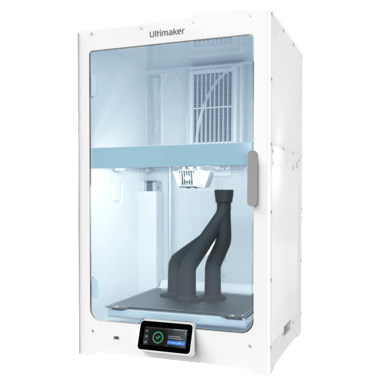

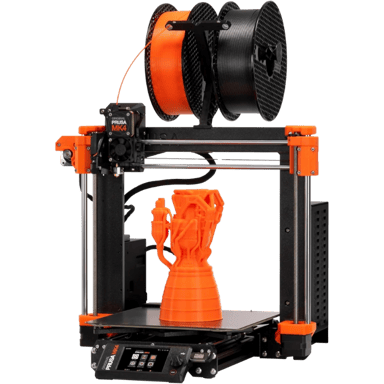
 Recaptor
 0
Cartling
0
Cartling